

ImageKlebor 2.0
ImageKlebor is a simple tool that allows you to combine images very easily
Program info
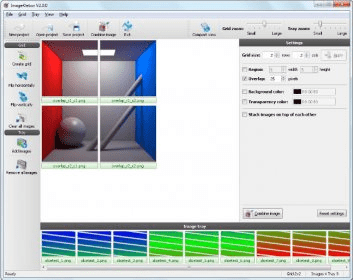
ImageKlebor is a simple tool that allows you to combine images very easily. The images to combine will be placed in a grid that you must create first. You can add up to six images to combine as you wish, which will first appear in the tray so that you can drag and drop them to the desired location in the grid. You can select the grid size (number of rows and columns), background color, transparency color, height and width of the region, overlapping, etc. You can also flip time images horizontally and vertically and change the order of photos or images by dragging and dropping them. Once you combine the images, the resulting image can be saved to any location you want, specifying the path, but you cannot print it directly from the program. To print it, you will have to open it with your favorite viewer or editor, and print it from there. The program supports most common image formats for input or output. Also, the user interface is extremely easy to use, so that anyone can use it without problems.
In short, ImageKlebor is a simple but useful application that can help you combine images in a snap, so it deserves a try.
Pros
- Very easy to use
- You can combine up to 6 images
- Customizable
Cons
- None
Details
Extensions

No information available
The data will be available later.Old versions

No information available
The data will be available later.



![Download Chrysanth Cheque Writer [Free] for Pakistan](https://img.informer.com/icons/png/16/7042/7042325.png)

Comments